
12. Suggested points per sector
When no point is selected, the editor's right panel shows Suggested points, below the Scene panel: ideas for your kind of business with the type and title already set.
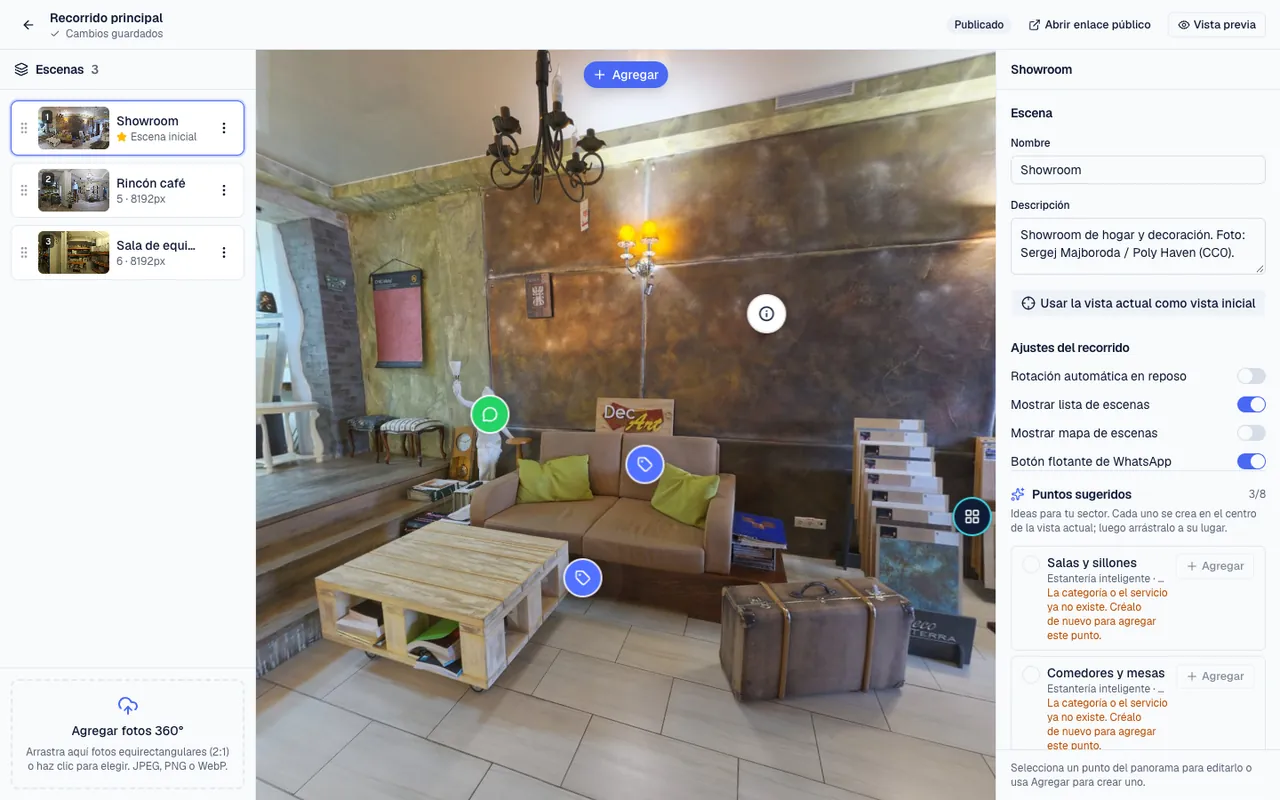
- Open the scene where you want the point and turn the panorama so the chosen spot is in the centre of the screen.
- If the right panel shows a point's details, press the scene's name in the list on the left: the Scene panel comes back, with Suggested points below (scroll down in the panel).
- Press Add on the suggestion. A notice says it was added to the scene and the point appears in the centre.
- Drag it to the exact spot and press it to check the title or the text.
- The list comes from your sector's template (the same one that creates sample categories and services when the business is created): shelves per category, services with booking, information about the place, WhatsApp, a link to your website.
- Points that already exist in the tour show a check mark; the counter shows how many you have. When they are all done you will see You have added every suggested point.
- Add creates the point at the centre of the current view of the open scene; then drag it into place and adjust the text like any other point.
- If a suggestion refers to a category or service you do not have yet, the button is disabled: create it first under Products or Services.
Use them as a checklist: a tour with arrows between scenes, at least one shelf, WhatsApp and the opening hours is ready to publish.