
18. Analytics
Analytics tells you how many people see your tours and what interests them. It is in the left sidebar. At the top you pick the period: Last 7 days, Last 30 days or Last 90 days; if you have several businesses, you can also pick one.
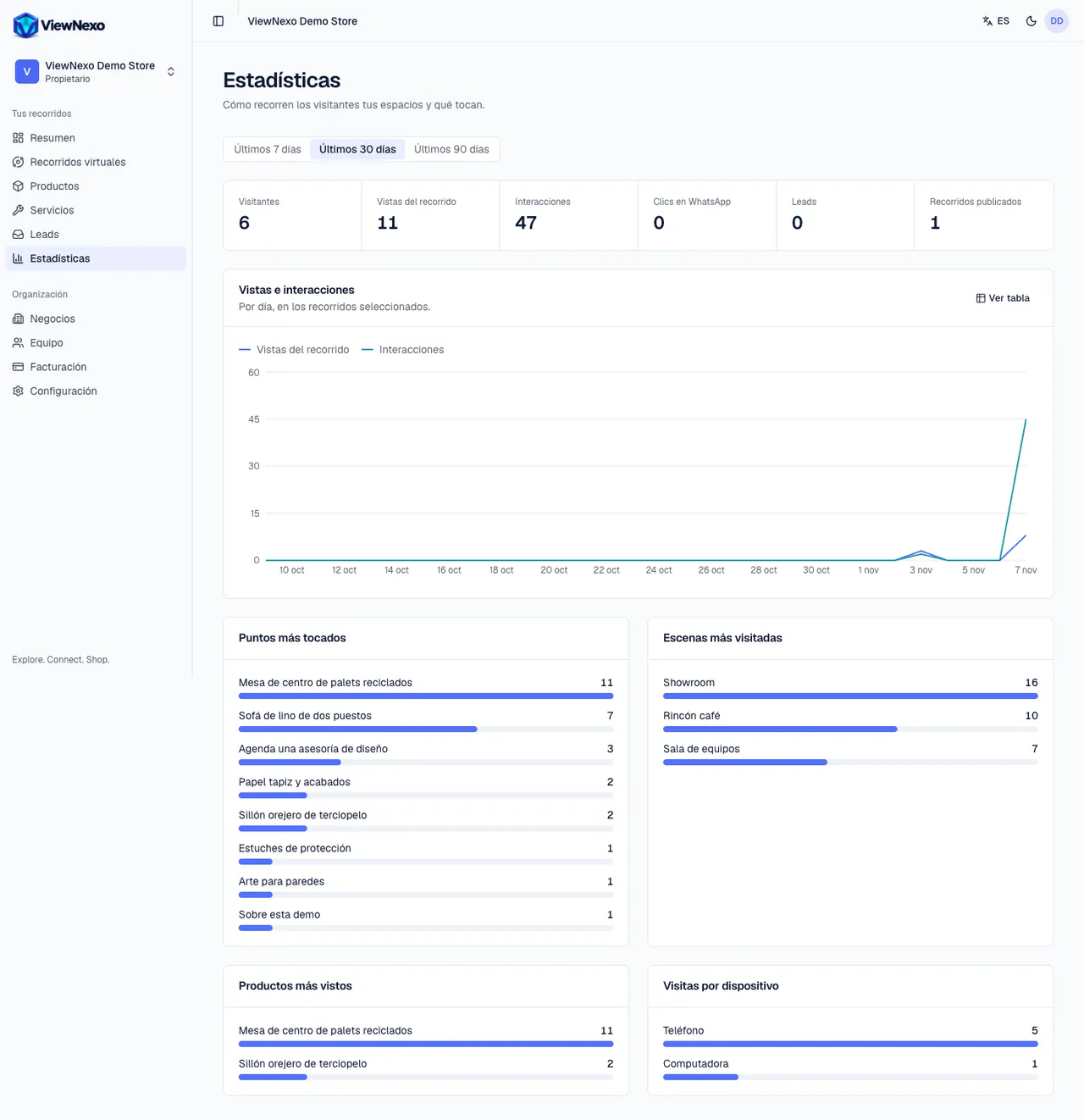
- Visitors: how many different people opened your tours (approximate). If someone opens it three times from their phone, it counts as one.
- Tour views: how many times your tours were opened, counting repeats.
- Interactions: how many times visitors tapped something: arrows, products, shelves, information.
- WhatsApp clicks: how many times they tapped the WhatsApp button to write to you.
- Leads: how many requests they left (chapter 15).
- Published tours: how many tours you have online right now.
- Views and interactions: a chart per day. Show table shows the same numbers in rows; Show chart goes back to the drawing.
- Most tapped points, Most visited scenes and Most viewed products: lists from highest to lowest.
- Visits by device: Phone, Computer or Tablet.
- Hotspot, scene and device breakdowns and 90-day history are part of advanced analytics, included in some plans; if yours doesn't have them, you will see the notice with See plans.
- If your plan includes sales or the assistant, the Sales and Assistant sections appear below (chapters 16 and 17).
- Export CSV, top right, downloads a file (you will see Analytics downloaded) with one row per day and tour: views, visitors, interactions, WhatsApp clicks and leads, for the chosen period and business. Open it in Excel or Google Sheets to build your own reports.
How to use them to decide
- Many views but few interactions: visitors look and leave. Add points to the first scene and check that the initial view shows something appealing.
- A product with many views but few orders or inquiries: review its price, photos and description.
- A scene hardly anyone visits: check that the other scenes have arrows to it, or move it earlier in the order.
- Most visitors come from a phone (that is normal): check your tour on a phone before changing anything.
- If the numbers go up the day you shared the link, that network or WhatsApp group works: do it again.
- If there are no visits in the period, you will see No visits in this period: share the link or the QR code (chapter 24). Visits show up here within minutes.