
Rental companies and vehicle hire
360° virtual tour for car rental companiesThe real fleet, not the catalogue photo.
A 360° tour of your office and your fleet. Each category shows daily rate, capacity and what's included; the booking asks for dates and reaches your WhatsApp.
What a 360° virtual tour for car rental is
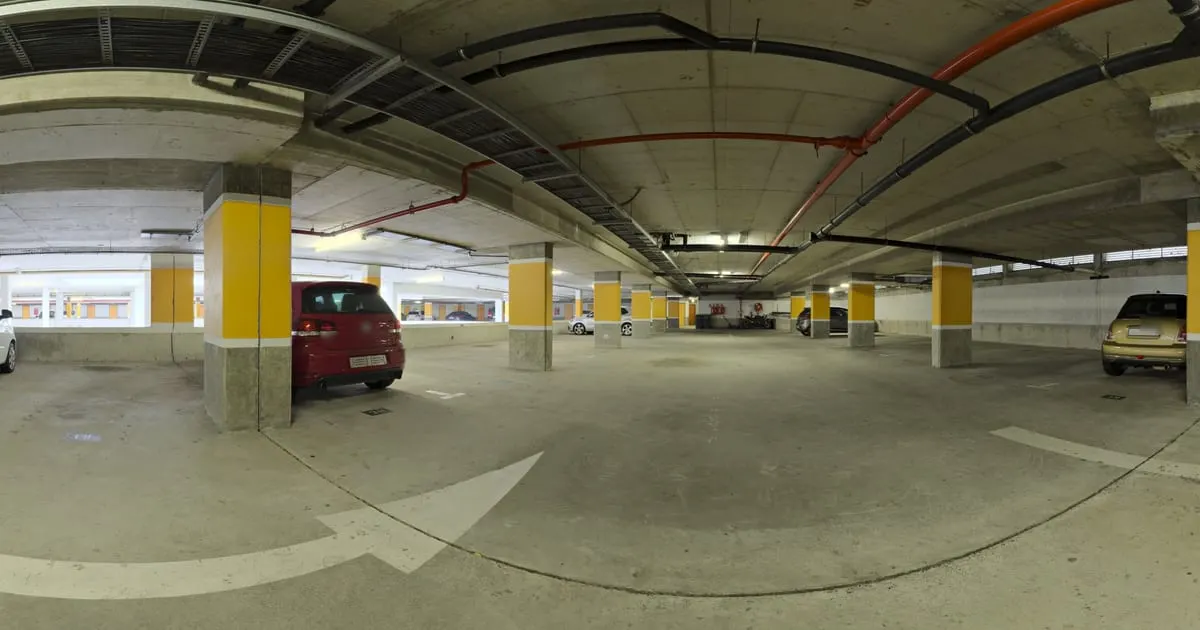
A 360° virtual tour for car rental shows your office and your fleet in panoramic photos that the customer walks through on their phone before travelling. Each vehicle category (economy, SUV, pickup, van) is a point with the daily rate, the capacity and what's included, and a 360° photo taken from the seat shows the real inside of the car.
The booking leaves the tour with the dates and reaches your WhatsApp or your requests inbox.
What your rental company gains
- 01
Bookings without surprises
The customer sees the car they will get and its interior. Fewer complaints at pickup, more good reviews.
- 02
Clear rates per category
Economy, SUV, pickup, van: each shelf with daily price and conditions.
- 03
Tourists who book before arriving
A link on your website, on Google Maps and in your WhatsApp reply sells while you sleep.
- 04
Office and pickup point in view
Show where to collect the car and what the place looks like: reassurance for someone arriving from another city.
How it works for car rental
- 1
Photograph office and fleet
The reception, the parking lot with the fleet and the interior of one car per category.
- 2
Link the spaces
From the office to the lot and into each category's interior.
- 3
Load rates and conditions
Each category is a product with daily rate, passengers, luggage and included insurance.
- 4
Turn on bookings
The button asks for dates, category and contact. Publish and share the link.
What to photograph in your rental company
Each scene of the tour is a 360° photo of one space. These are the ones worth having, in the order a visitor would walk them.
- 01
Office and counter
Where the contract is signed and the keys are handed over.
- 02
Fleet lot
The cars available, grouped by category.
- 03
Inside each category
A 360° photo from the driver's seat per vehicle type.
- 04
Boot
With the door open, so the customer can size up their luggage.
- 05
Pickup point
Airport, terminal or hotel: what the place where they collect the car looks like.
The interactive points for car rental
Every scene of the tour takes points the visitor taps. These are the ones businesses in this industry use most.
- Smart shelf
Fleet categories
Daily rate, passengers and transmission for each type of car.
- Booking
Book dates
Pickup, return and contact straight to your inbox or WhatsApp.
- Scene link
Inside each car
A point on the car opens the panorama from the driver's seat.
- Information
Requirements and insurance
Documents, deposit and coverage explained on a fixed point.
- WhatsApp
Quick questions
Child seat, GPS, airport delivery: answered in the chat.
What it costs: an example on the Free plan
A rental company with an office, a lot and four vehicle categories needs about 7 or 8 scenes and one product per category. That fits the Free plan, free for 3 months: 1 tour of up to 10 scenes and 10 products. If you add child seats, GPS or insurance as separate products, or want one tour per branch, the Starter plan ($19 a month) takes 3 tours of up to 15 scenes and 50 products; the Professional plan ($39 a month) covers 3 locations.
Prices in US dollars (USD), per month.
See plans and pricingFrequently asked questions
Can I change rates by season?
Yes. Edit the shelf price in the dashboard and the tour shows it instantly.
How do I manage availability?
The booking is a request you confirm; mark a category out of stock when you have no units.
Does it work for motorcycle or bike rental?
Yes. Any product with a price and description fits on a shelf.
Can I have several pickup points?
Yes. Each point can be a business or a scene in the same tour, with its own contact.
Does the tour work in English?
The viewer switches language to match the visitor's phone; the texts of your products are written by you.
Related industries
Other kinds of business that use the 360° virtual tour in a similar way.
- 360° virtual tour for car dealershipsCustomers walk the lot, compare cars with prices and book their test drive.
- 360° virtual tour for auto repair shopsCustomers see the workshop, check services with prices and book a slot without calling.
- 360° virtual tour for hotels and innsGuests see the exact room, the common areas and the view before booking.
Pricing
The first 3 months are free, no card needed. Move to a paid plan once your tour is bringing in customers; compare each plan’s limits on the pricing page.
Want to see it with your rental company?
Message us on WhatsApp and we’ll tell you how businesses like yours do it, or create your account and publish your first tour today.