
Furniture, decor and lighting
360° virtual tour for furniture stores and showroomsThe whole showroom, on the customer's screen.
A 360° tour through your rooms: living, dining, bedroom, lighting. Every piece is a point with price, dimensions and stock; the quote starts right there.
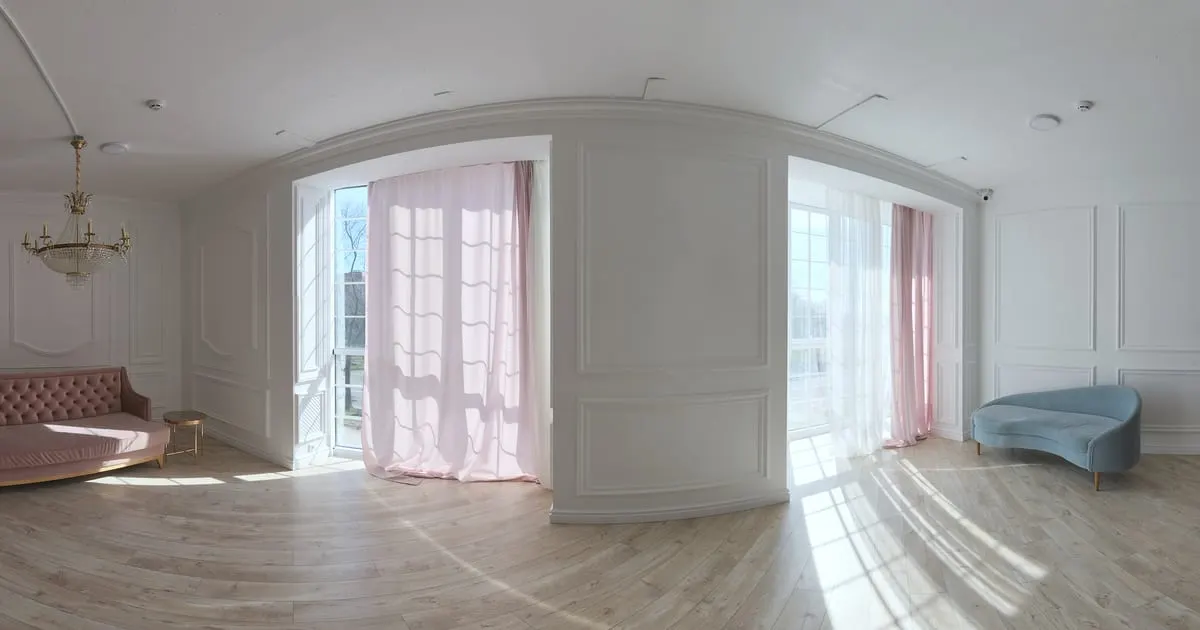
What a 360° virtual tour for furniture stores is
A 360° virtual tour for furniture stores is your showroom photographed in panoramas and walked through on a phone, room by room. The customer sees each piece in context, next to the coffee table, the lamp and the rug you staged it with, and taps its point to see price, dimensions, materials and stock, or to request a quote on WhatsApp.
When you change the display you only replace that room's scene; prices and stock update from the catalog.
What your furniture store gains
- 01
You sell the room, not just the piece
The customer sees the sofa with the table and the lamp that match, like in the showroom, and asks about the set.
- 02
Price and dimensions without asking
Each piece shows price, dimensions, materials and stock. The questions that arrive are about buying.
- 03
A showroom bigger than the store
Photograph rooms you later change and keep the previous ones in the tour with their products.
- 04
Quotes ready to close
The customer builds their order from the points and it reaches you with the products and their contact.
How it works for furniture stores
- 1
Photograph every room
One panorama per staged room: modern, classic, rustic, lighting, outdoor.
- 2
Connect the rooms
Points that lead from one room to the next, like the showroom aisle.
- 3
Put a shelf on every piece
Sofas, tables, lamps: each with price, dimensions, colours and stock from your dashboard.
- 4
Turn on quotes and WhatsApp
Publish and share the link on social media, Marketplace and your website.
What to photograph in your furniture store
Each scene of the tour is a 360° photo of one space. These are the ones worth having, in the order a visitor would walk them.
- 01
Showroom entrance
The overall view that invites people in and orients the visitor.
- 02
Living room sets
One scene per living room set, with every piece near its point.
- 03
Dining rooms
Tables and chairs set up as they would look at home.
- 04
Bedrooms
Beds, nightstands and dressers in one room.
- 05
Lighting and decor
Lamps, mirrors and rugs, which often sell alongside the furniture.
- 06
Office or outdoor
Desks, chairs or garden furniture, if you carry them.
The interactive points for furniture stores
Every scene of the tour takes points the visitor taps. These are the ones businesses in this industry use most.
- Smart shelf
Piece by piece
The point on each item shows price, dimensions, materials and stock.
- Quote
Quote a set
Sofa, table and lamp in one request with the customer's contact.
- WhatsApp
Ask about colours
A chat for fabrics, finishes, delivery times and shipping.
- Scene link
Walk through the rooms
Living, dining, bedroom and lighting connected in order.
- External link
Catalogue or online store
Link the full product page or the cart of your online store.
Step into the demo furniture store
A fictional furniture store with three rooms and a lamp showroom. Tap the pieces to see price and dimensions.
A fictional furniture store with three rooms (modern, classic and rustic) built to show ViewNexo. Products and prices are illustrative.
Open tourMore demos for this industry
What it costs: an example on the Starter plan
A furniture store with an entrance, three living room sets, a dining room, a bedroom and lighting takes about 8 to 10 scenes, but its catalog soon goes past 10 pieces. The Free plan is for trying it for 3 months with 1 tour of up to 10 scenes and 10 products. The Starter plan ($19 a month) takes 50 products and tours of up to 15 scenes; with a large showroom, the Professional plan ($39 a month) reaches 500 products and 30 scenes per tour.
Prices in US dollars (USD), per month.
See plans and pricingFrequently asked questions
How many products can I put in a scene?
As many as you need within your plan's product limit. Group them by shelf so the scene stays readable.
Can I show colour or fabric variants?
Yes. Each product takes photos and a description; variants go in the description or as separate products.
What happens when I restage the showroom?
Photograph the new room and add it as a scene; the previous one stays in the tour while you stock those products.
Can I sell online from the tour?
The tour delivers the quote or order on WhatsApp; if you have an online store, each point can link to the product.
Does it work for lighting and decor?
Yes. Lamps, rugs, art: any product with a price works as a shelf.
Related industries
Other kinds of business that use the 360° virtual tour in a similar way.
- 360° virtual tour for shops and retailAny store with shelves: customers walk, tap the products and buy on WhatsApp.
- 360° virtual tour for clothing and shoe storesCustomers walk the store, tap the garments and see size, price and stock.
- 360° virtual tour for real estate agenciesBuyers walk through each property on their phone and request a visit only if it fits.
Pricing
The first 3 months are free, no card needed. Move to a paid plan once your tour is bringing in customers; compare each plan’s limits on the pricing page.
Want to see it with your furniture store?
Message us on WhatsApp and we’ll tell you how businesses like yours do it, or create your account and publish your first tour today.