
20. Billing and plan
Billing shows your plan, how much of what it includes you are using, and your history. Every new account starts on the Free plan for 3 months, with no card.
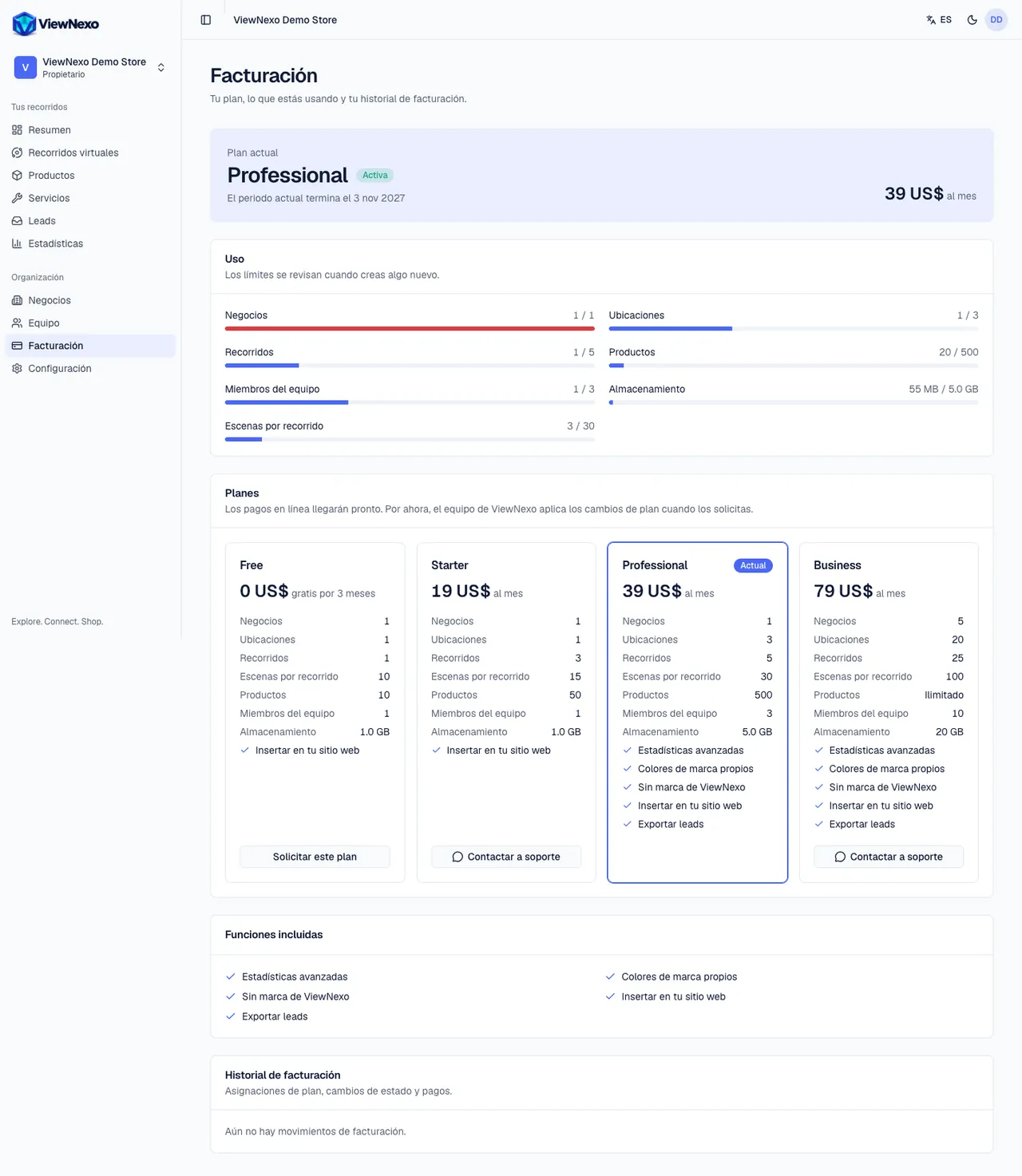
- Current plan: name, status (Trial, Active, Payment due…) and the date the trial or current period ends.
- Usage: businesses, locations, tours, products, team members, storage and scenes per tour, each with a bar against the plan's limit. Limits are checked when you create something new: what you already have is not deleted.
- Plans: one card per plan with its price, limits and features (advanced analytics, custom brand colors, no ViewNexo branding, embed on your website, lead export, online orders, AI assistant). Yours says Current.
- Included features: what your plan has turned on right now.
- Billing history: plan assignments, status changes and payments. Only owners see it.
Change your plan
- In the left sidebar, click Billing and scroll down to Plans.
- On the card of the plan you want, click Contact support: WhatsApp opens with the message "Hi, I'm interested in the ViewNexo … plan." ready to send. Tap send in WhatsApp.
- On some cards the button says Request this plan: click it and then Send request. You will see Request sent. Nothing is charged at that moment.
- The ViewNexo team contacts you and applies the change. Your published tours stay online. You get a notice when your plan changes.
- Only owners can request plan changes; everyone else sees the notice Only owners can request plan changes.
- Online payments are coming soon. For now, the ViewNexo team applies changes when you request them.
- A few days before your free period ends we send you a reminder email (chapter 23).